
TL;DR: Mike Valtos’s 4 Indicator Bundle is a configured TradingView setup, not a course. Four standard tools, EMA, RSI, MACD and ATR, each given one job, plus the alignment rule and the entry, exit and risk rules that bind them. Templates load the settings so you skip the rebuild.
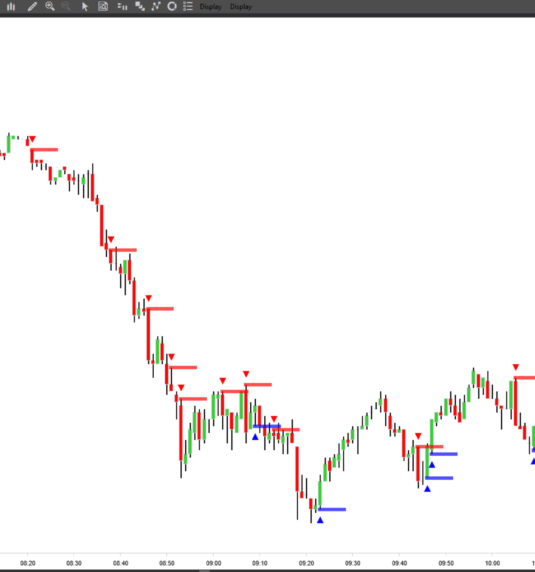
What Mike Valtos’s 4 Indicator Bundle Puts on Your Chart
The split is the whole design. EMA sets directional bias, RSI confirms momentum, MACD times the entry, ATR sizes the position and sets stop distance. One job per tool, no committee of oscillators arguing over the same candle. Binding them is an alignment rule: unless all four agree, there is no trade. That rule, plus the entry, exit and risk logic around it, is the real purchase.
TradingView templates ship with it, so periods and levels load in a click instead of being rebuilt by hand. Anyone who has rebuilt a stranger’s technical indicators screenshot knows why that matters.
You Are Paying for Settings, Not Software
Say this plainly, because most listings will not. EMA, RSI, MACD and ATR are four completely standard indicators. Every charting platform ships them free, and Investopedia’s explainer on average true range covers the maths at no cost. You are buying specific settings, the alignment rule and a written rule set for entries, exits and risk management. Whether that is fair depends on how you price the screen time a workable configuration costs to build alone.
Where Mike Valtos Comes From
Valtos founded Orderflows after a long institutional career on futures desks, including JP Morgan, Cargill, Commerzbank and Dean Witter Reynolds, roughly two decades in the seat. That background needs a caveat. No bank desk traded a retail EMA and RSI template. These are the tools he personally settled on for his own screen. He states the configuration went through about eight years of live iteration rather than backtest tuning, which is his account rather than a verified fact.
Two Mismatches Worth Catching Early
All four tools lag by construction. That is arithmetic, not a flaw: oscillators and moving average trend systems are computed from bars that already closed. Entries confirm after the move begins. In chop, alignment either never fires or fires late enough to hurt, and no setting fixes it. Traders hunting the turn will be frustrated by month two.
The second mismatch is subject matter. If Valtos brought you here for footprint charts, delta and absorption at the bid, this package touches none of it. His order flow trading courses cover that ground, and buying templates hoping to absorb order flow depth is the wrong purchase in 2026. A template is not a method either. Without the discipline to pass on non-aligned setups, it becomes one more crowded chart.
The Fine Print on the Valtos Template Pack
Is the 4 Indicator Bundle worth it?
Depends on what your screen time is worth. The four tools cost nothing anywhere, so the money buys settings, the alignment rule and the entry, exit and risk logic. Traders already running a tested stack gain little. Traders starting from a blank chart skip months of trial and error.
Is the 4 Indicator Bundle a genuine Mike Valtos release?
It comes from Orderflows, the firm Valtos founded, and sits in his published toolbox alongside his order flow training. Buyer feedback on this pack is essentially absent in public, so the contents are what you can judge.
How does this differ from his order flow courses?
Different skill entirely. The courses teach reading the tape: footprint, delta, absorption, live. This ships a preconfigured EMA, RSI, MACD and ATR chart with a decision rule attached. You load the templates and follow rules rather than interpreting raw transaction data.
Do I need TradingView to use it?
In practice, yes. The Mike Valtos indicators arrive as TradingView templates, so settings apply in one click there. You could rebuild the same periods manually elsewhere, but that means redoing the configuration work the package exists to remove.
Should You Load These Templates?
If you want a small, opinionated chart setup with rules attached, and you accept the underlying tools are ordinary, this does the job without fuss. If you want early entries or order flow depth, look elsewhere. Run the templates on a simulator across trending, ranging and news-driven sessions before trusting the alignment rule with size, since futures day trading instruments behave differently in each. This is education about a charting method. What you trade stays your call.


